
A popular travel myth: you need a dozen different apps to plan and survive a trip. The reality is messier — some of Google’s free tools outperform paid alternatives in specific situations, while others have real blind spots that catch travelers completely off guard. Knowing the difference matters more than downloading everything Google publishes.
This breakdown covers the five core Google apps that appear in most travel workflows — Google Flights, Google Maps, Google Translate, Google Hotels, and Google Lens — with specific notes on what each one does well, where it fails, and what to use instead when it falls short. No paid subscriptions. No OTA commissions. Just an honest accounting of free tools.
What Google Flights Shows You That Other Search Tools Don’t
Most flight search engines answer one question: what does this route cost on these dates? Google Flights answers that, but it also surfaces something harder to find elsewhere — where current prices sit relative to historical data for that exact route and travel window.
The Price Insights panel below any search result tells you whether a fare is “low,” “typical,” or “high” based on what that route has historically cost. For a flight from Chicago O’Hare to Lisbon in June, Google Flights might flag $780 roundtrip as “lower than usual for this month” — concrete context that a bare price figure alone doesn’t give you. That framing changes how you decide whether to book now or wait.
The Price Calendar vs. the Price Graph
Two separate features that serve different purposes. The price calendar — the monthly grid view that appears when you leave your dates flexible — shows the cheapest available days to fly across a full month. Useful when your schedule has any give. The price graph, which appears below a fixed-date search, tracks fare movement over the past 60 days. It answers a different question: has this route been rising steadily, or have prices held flat for weeks?
Skyscanner has a comparable month-view calendar. Kayak offers a forward-looking price forecast. But Google Flights combines both with faster data refresh on many low-cost carrier routes, and its price alerts are generally more responsive than Kayak’s for transatlantic monitoring. If you’re watching a specific route over several weeks, Google Flights is the best free option for doing that without an account.
The Explore Map for Open-Destination Searches
Leave the destination field blank, enter your departure city, and Google Flights opens a world map covered in fare bubbles — “$420 to Reykjavik,” “$340 to Cancun,” “$580 to Seoul” — updated based on your flexible travel window. Adjust the month slider and the bubbles reprice in real time.
No free competitor handles this as cleanly. Rome2rio is better for overland and multi-modal trip research. Hopper’s price prediction model goes deeper on future fare forecasting (Hopper Plus is $29.99/year). But for answering “where can I actually fly for under $500 this month,” the Explore map is the fastest free answer available — no account, no signup, no paywall.
One genuine limitation: Google Flights doesn’t process bookings natively. You always click through to the airline’s website or a third-party OTA. For travelers who value having all booking records in one place, that’s a meaningful trade-off compared to staying within Expedia or Booking.com’s ecosystem.
Google Maps Offline Mode: The Setting Most Travelers Never Enable

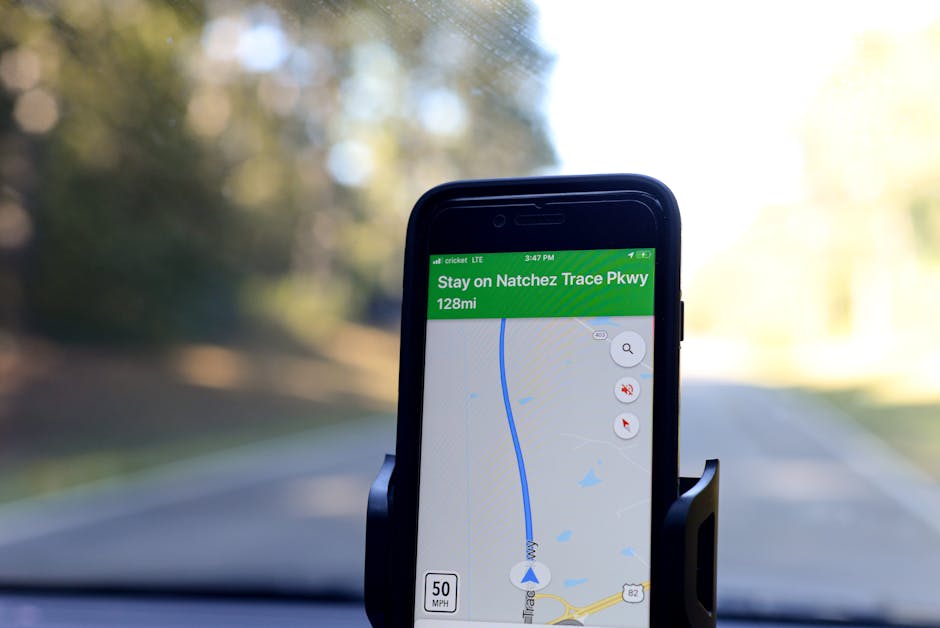
Enable offline maps before you leave home. That single action would prevent more navigation failures and data roaming charges than any other step in trip preparation.
The setup: open Google Maps → tap your profile icon → Offline Maps → Select your own map → draw a bounding box over your destination → download over Wi-Fi. The resulting map works without any data connection for turn-by-turn navigation and partial business searches. It does not support real-time traffic updates, live transit schedules, or Street View.
Download sizes vary considerably. Central Rome with surrounding neighborhoods: roughly 200MB. Tokyo’s full urban core: closer to 850MB. Berlin plus surrounding districts: around 400MB. Check your available storage before your flight.
Google Maps vs. Offline Alternatives
| Feature | Google Maps | Apple Maps | Maps.me |
|---|---|---|---|
| Offline navigation | Yes | Yes (iOS 17+) | Yes |
| Offline business search | Partial | No | Yes (full) |
| Offline transit directions | No | No | No |
| Download area control | Manual bounding box | Auto by region | Manual bounding box |
| Typical major city download | 200–850MB | Similar | 50–300MB |
| Cost | Free | Free (iOS only) | Free |
Maps.me, built on OpenStreetMap data, beats Google for offline business search in parts of Southeast Asia and Eastern Europe where Google’s point-of-interest database gets thin. For hiking trails or backcountry navigation, neither app belongs in your pack — download AllTrails or Gaia GPS, which are purpose-built for that use case and far more reliable off-road.
Google Translate’s Camera Mode Has One Catch Worth Knowing Before You Land
The AR camera translation feature — point your phone at a sign and see an English overlay appear in real time — works offline for roughly 30 of the 133 supported languages. The full language library requires a live data connection. If you’re heading somewhere with unreliable connectivity and plan to translate Thai menus, Vietnamese street signage, or Arabic text, download the specific language pack inside the Translate app before departure and actually test it before you board. Assuming the feature works universally offline is how travelers end up staring at a menu in a rural guesthouse with an app that says “no internet connection.”
For photo-based translation of menus and printed text, Google Lens frequently outperforms the Translate camera mode for Japanese and Chinese food vocabulary. Lens cross-references visual context from the entire image against its recognition model rather than treating every text block identically — the difference shows up clearly when a menu uses handwritten fonts or dense kanji that the Translate camera mode struggles to parse accurately.
Google Hotels vs. Booking.com: When Each One Wins

The framing of “Google Hotels versus Booking.com” slightly misrepresents how these tools actually work. Google Hotels is a search aggregator — it pulls prices from Booking.com, Expedia, Hotels.com, and direct hotel rates simultaneously and displays them side by side. Booking.com is a booking platform with its own inventory, its own customer service infrastructure, and a tiered loyalty program. They’re not the same kind of product.
| Factor | Google Hotels | Booking.com |
|---|---|---|
| Price source | Aggregated (multiple OTAs + direct hotel) | Booking.com’s own inventory |
| Price alerts | Yes, free | No |
| Loyalty discounts | None | Genius (up to 15% off) |
| Verified guest reviews | No (Google Maps reviews) | Yes (confirmed stays only) |
| Vacation rental listings | Yes (Vrbo, HomeToGo) | Limited |
| Account required to search | No | No |
The Call for Occasional Travelers
Use Google Hotels. The aggregated pricing view — especially the “Book with Google” direct-hotel option, which can undercut OTA rates by 5–15% on properties that list directly — is valuable. Set a price alert on any property you’re considering and check back a few days later before committing. No account needed for basic alerts, and you avoid the pressure of booking within a single platform’s ecosystem.
The Call for Frequent Travelers
If you’ve reached Booking.com Genius Level 2 or 3 — which requires 15 or more completed bookings on the platform — the 10–15% discounts on participating properties often beat what Google’s aggregation surfaces. More importantly, Booking.com’s post-booking customer service for same-day cancellations, billing disputes, and accommodation problems is more developed than the experience of clicking through Google Hotels to a third-party OTA and discovering you need to resolve an issue with that OTA’s support team. When something goes wrong at 11 p.m. in a foreign city, loyalty infrastructure matters.
Five Google Travel Features That Most Travelers Don’t Know Exist
- Price tracking on Google Flights without creating an account. Search any route, scroll past the results to the bottom of the page, and click “Track prices.” Google will email you when the fare changes significantly. Skyscanner requires a free account signup for equivalent alerts. Google does not.
- Google Maps Saved Lists as a lightweight trip planner. Press and hold any location on the map → Save → New list. Name the list for your destination, add restaurants, museums, and neighborhoods as you research. Lists sync across devices and can be shared with travel companions via a link. It won’t replace TripIt ($49/year for Pro) or Wanderlog for multi-city itinerary organization, but for a single-city trip it removes the need for a separate planning app entirely.
- Live transit disruption alerts inside Google Maps directions. In Tokyo, London, New York, Paris, Seoul, and Berlin, the transit view shows real-time disruption banners — often updated before the transit authority’s own app reflects the delay. Tap “Details” under any banner to see which specific lines are affected and estimated resolution times.
- Google Lens for restaurant menus in photos. Take a photo of any menu — blurry, handwritten, or printed in an unusual font — open it in Google Lens, and tap Translate. The accuracy for food-specific vocabulary in Japanese and Chinese is measurably better than the Google Translate camera mode when menus use stylized or dense typography.
- Google Hotels’ vacation rentals tab. Tucked behind a tab in the Google Hotels interface is an aggregated view of Vrbo, HomeToGo, and other rental platforms alongside hotel results on the same map. Airbnb removed its listings from Google’s platform in 2026, so Airbnb inventory doesn’t appear here — but for a fast side-by-side comparison of apartment vs. hotel pricing in a new city without switching apps, it’s a useful shortcut.
Where Google’s Travel Apps Fall Short

Does Google Flights show all budget airlines?
Not reliably. Ryanair — Europe’s largest low-cost carrier by passenger volume — has historically restricted its fares on third-party aggregators including Google Flights. As of 2026, Ryanair’s presence on Google Flights varies significantly by route. WizzAir has similar inconsistencies. This is a real failure mode, not a theoretical one: searching Google Flights for a London-to-Warsaw route and booking a €180 fare without checking Ryanair.com directly can mean missing a €29 option. For any European budget route, verify on the carrier’s website before treating Google Flights as the final word.
Are Google Maps restaurant ratings trustworthy?
Less so than most travelers assume. Google Maps reviews are unverified — any Google account can leave a rating without confirming a visit. In high-tourism areas like Rome’s historic center, Barcelona’s Gothic Quarter, and Bangkok’s Sukhumvit corridor, ratings get inflated or suppressed by coordinated activity more aggressively than on platforms that verify visits. TripAdvisor requires a confirmed dining experience. Booking.com restaurant ratings come only from verified guests.
The practical workaround: use Google Maps to locate restaurants geographically and filter by distance or hours, then read the most recent one-star reviews specifically — they tend to surface real operational problems faster than the overall score does. For any restaurant where you’re spending meaningful money, cross-check with TripAdvisor or The Infatuation before booking.
What about organizing an entire trip across multiple bookings?
Google’s weakest area in travel. Google Trips was discontinued in 2019 and was never fully replaced. The current state of affairs: Gmail auto-imports flight and hotel confirmations and surfaces them inside Google Maps’ “Your trips” view — useful, but not the same as a real itinerary manager. For trips involving multiple cities, connection flights, car rentals, and pre-booked activities, TripIt (free) or TripIt Pro ($49/year) consolidate everything into a structured timeline that Google’s fragmented approach doesn’t match. Wanderlog offers a free tier with collaborative itinerary building that’s also significantly more capable.
The honest summary of Google’s travel suite: it’s exceptional as a research and navigation layer — Google Flights’ price history, Google Maps’ offline routing, and Google Hotels’ aggregated pricing are all genuinely strong at zero cost. The organizational layer, post-booking management, and review integrity are where third-party apps still earn their place. As Google continues integrating AI-assisted trip planning and expanding NFC transit payments through Google Wallet into more cities, the gap between its free tools and paid alternatives will keep narrowing — but it hasn’t closed yet.